API Designer

Design the API. Ship the proxy. One click apart.

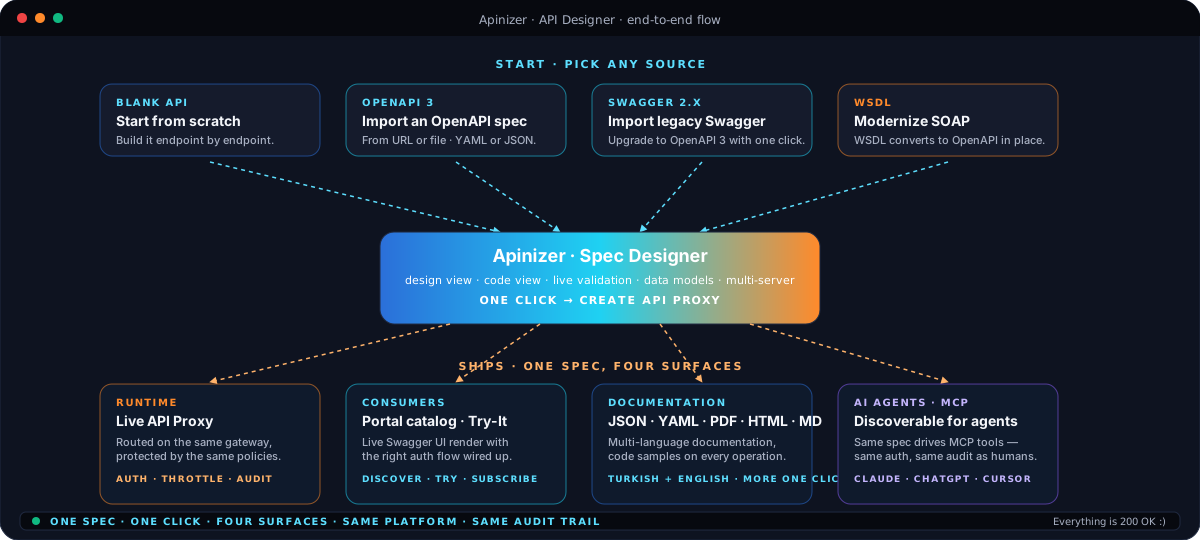
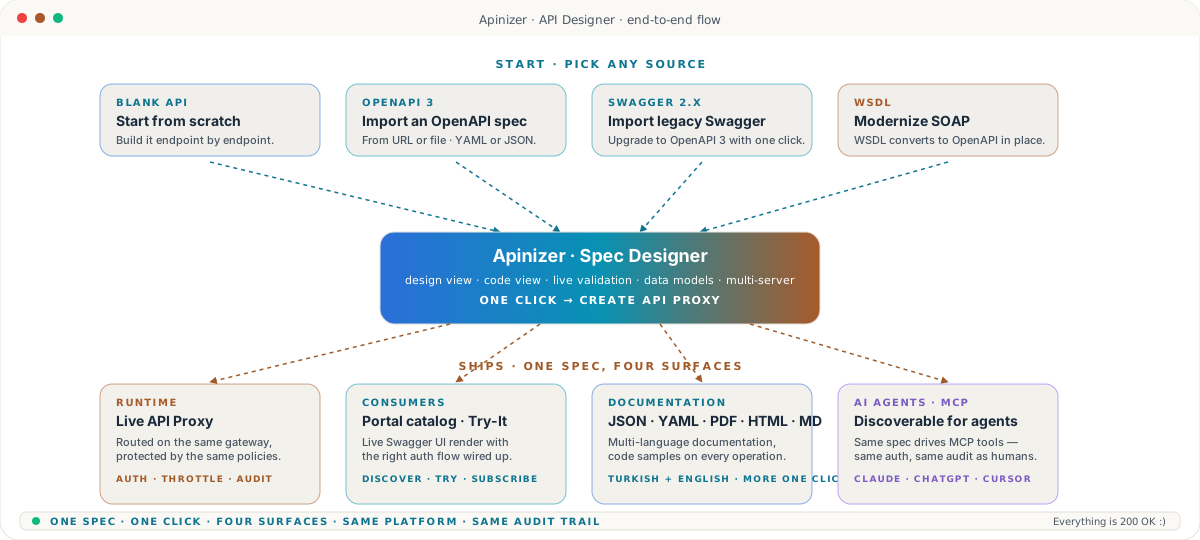
Author OpenAPI without writing YAML by hand, import what you already have, and turn the spec into a live, governed API on the same gateway with one click. The same spec drives Swagger UI in the Portal, JSON, YAML, PDF, HTML, and Markdown — in every language your consumers speak.

  • SpecsOpenAPI 3 · Swagger 2 · WSDL
  • OutputLive API Proxy + Portal docs
  • Round-tripSpec ↔ Proxy in sync

Capabilities · deep dive

Eight properties that turn an OpenAPI spec into a live, governed API.

Visual spec editing without YAML wrangling, two ways to start, one-click API Proxy generation, round-trip sync, WSDL modernization, instant multi-format documentation, spec-as-code workflows, and auto-publishing to the Portal — every property a real Apinizer capability, not a roadmap promise.

01 · Visual spec editing

Author OpenAPI without writing YAML by hand.

Edit the spec the way you think about an API — endpoints, request bodies, responses, data models — through a guided editor with a live YAML or JSON view next to it. Mistakes catch as you type, and the same screen previews exactly what consumers will see in the Portal.

  • Side-by-side design view and code view — switch any time
  • Endpoints, parameters, headers, request bodies, responses — all first-class
  • Reusable data models with properties, examples, and validation rules
  • Inline validation against the OpenAPI Specification as you type
  • Multi-server definitions for dev, test, and production base URLs
  • Contact, license, and terms-of-service captured on the same screen
  • Spec-level authentication setup — no separate workflow
  • Filter long specs by path or data model — built for big APIs
  • Design view
  • Code view
  • Live validation
  • Data models
  • Multi-server
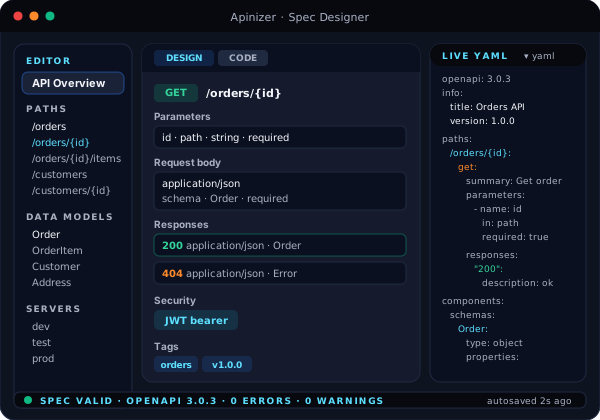
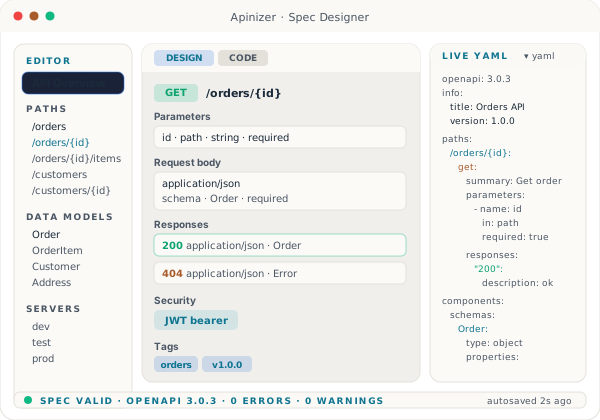
Apinizer Spec Designer — left sidebar with API Overview, Paths, and Data Models; main canvas showing the GET /orders/{id} operation with parameters, request body, and a 200 response; right panel showing the live YAML view; validation chip at the bottom reporting zero errors.

02 · Two ways to start

Begin from scratch — or bring in what you already have.

Open the Designer and pick a starting point. Start with a blank API and build it endpoint by endpoint, or import an existing spec from a URL or a file and pick up where someone else left off. OpenAPI 3, Swagger 2, and WSDL all land in the same editor.

  • Blank API — start with a clean spec and grow it as you go
  • Import from a URL — the editor fetches and parses the spec for you
  • Import from a file — drop in a YAML, JSON, or WSDL file
  • OpenAPI 3.0.x supported end to end
  • Swagger 2.x supported and upgradable to OpenAPI 3 with one action
  • WSDL imports converted to an OpenAPI surface automatically
  • Re-import on top of an existing spec — keeps your customizations
  • Side-by-side diff before applying an imported change
  • Blank API
  • Import from URL
  • Import from file
  • OpenAPI 3
  • Swagger 2
  • WSDL
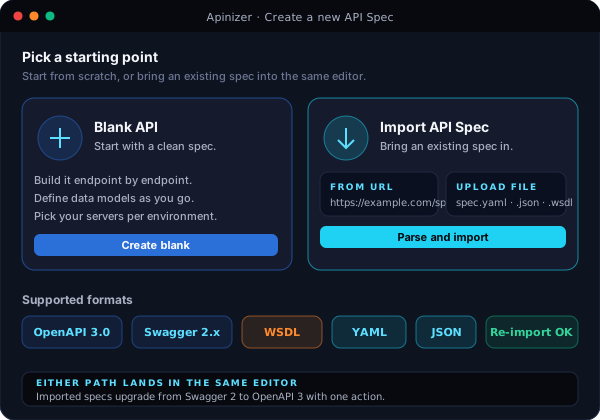
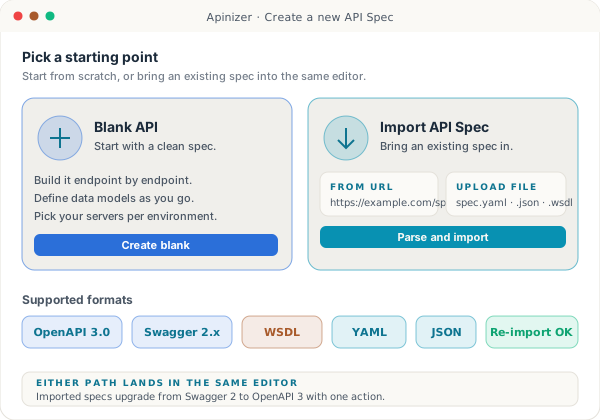
Two large start cards — Blank API on the left with a plus icon, Import API Spec on the right with URL and File sub-options — surrounded by chips for OpenAPI 3, Swagger 2.x, and WSDL.

03 · One-click API Proxy

The spec doesn't stop at a YAML file. One click and it's a live, governed API.

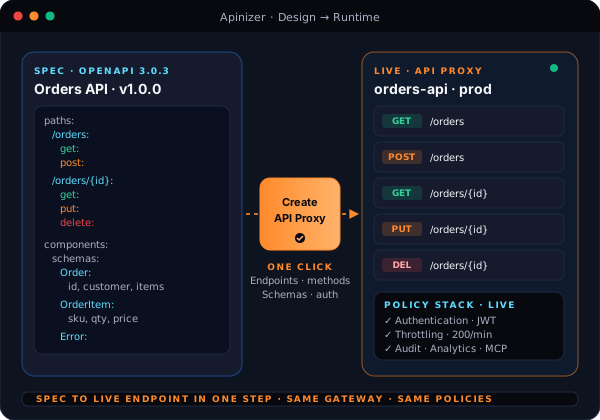
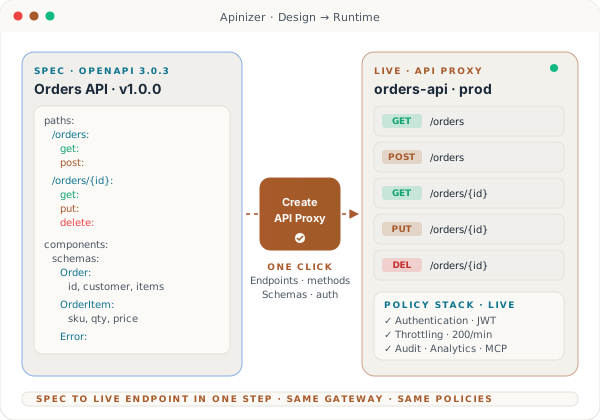
Every other design tool produces a YAML file you then have to wire into your gateway. Apinizer collapses that step. Hit Create API Proxy and the spec becomes a real, running, fully-governed API — endpoints, methods, request and response schemas all mapped to a Worker pod, behind the same authentication, rate limiting, audit, and analytics stack that protects every other Apinizer API.

  • One action turns a spec into a live API Proxy on the gateway
  • Every path becomes a routable endpoint, every method an operation
  • Request and response schemas attached for validation at runtime
  • Same policy stack as a hand-built proxy — auth, throttling, audit, analytics
  • Same observability — every call captured with full request context
  • Pick the environment — dev, test, or production — at proxy creation
  • Routes traffic across the same Worker pods as every other Apinizer API
  • From design to live endpoint in seconds — no separate deploy pipeline
  • One click
  • Full proxy
  • All endpoints
  • All schemas
  • Same gateway
  • Same policies

Same lane for AI

Turn on MCP at proxy creation and AI agents discover the new API the moment it goes live — no second publishing step.

Spec card on the left with a YAML preview, a single Create API Proxy button in the middle with a dashed arrow, and an API Proxy card on the right listing four endpoints with HTTP methods — showing the spec turn into a live, governed API in one step.

04 · Stay in sync

Edit the spec. The proxy follows. No copy-paste.

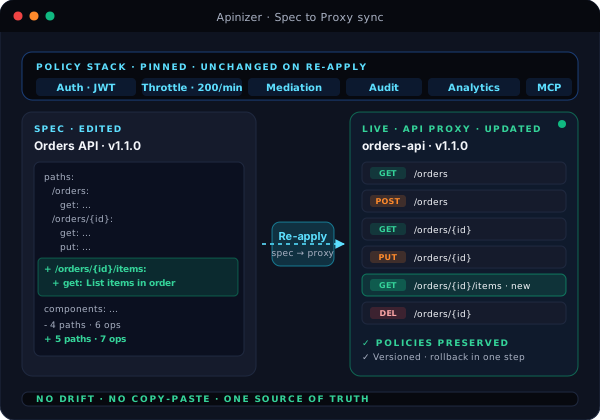
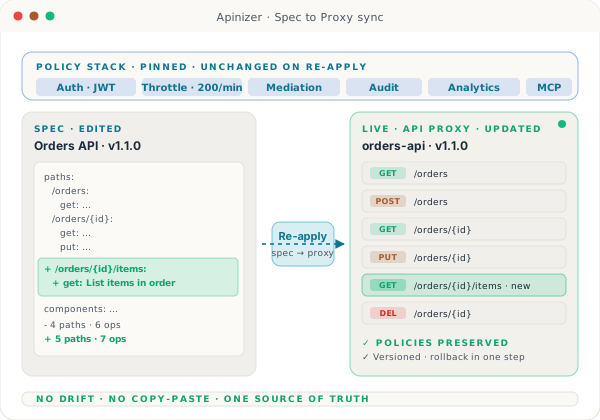
When you change a spec — add a path, rename a field, update a schema — the connected API Proxy picks the change up automatically. Endpoints, methods, and schemas stay aligned. The policies you attached by hand stay in place. No drift, no parallel files, no manual reconciliation between what the spec says and what production is actually serving.

  • Re-apply the spec and the proxy updates in place
  • Endpoints, methods, and schemas re-synced from the spec
  • Attached policies — authentication, throttling, mediation — preserved
  • Spec and proxy share one identifier — never two sources of truth
  • Optional approval step before a re-sync hits production
  • Roll back the spec, roll back the proxy — one operation
  • Version history on every spec change
  • Promote the same spec across dev, test, and production environments
  • Auto-sync
  • No drift
  • Policies preserved
  • Versioned
  • Promote across environments
Spec editor on the left showing a diff with a new path highlighted, an arrow labeled Re-apply in the middle, and the same API Proxy on the right gaining the new endpoint — with the existing policy stack pinned above the proxy and unchanged.

05 · Bring legacy forward

Drop in a WSDL. Get a modern OpenAPI surface.

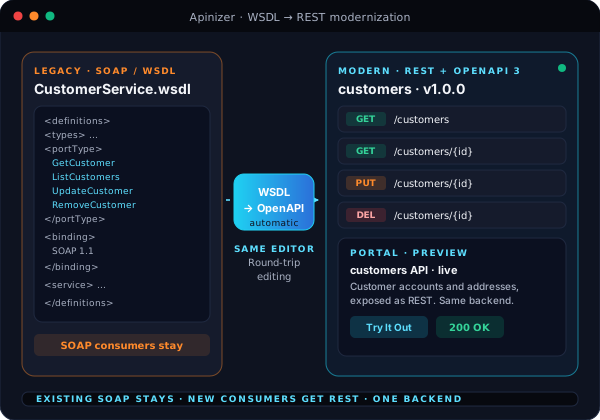
Most enterprises sit on a long tail of SOAP services that aren't going anywhere. The Designer takes a WSDL — by URL or file — and produces an OpenAPI spec mapped to the original operations. From there it's the same one-click flow: ship a REST proxy in front of the SOAP backend, document it in the Portal, and let new consumers move forward without the old contracts.

  • Drop in a WSDL by URL or file
  • Operations, types, and faults mapped into an OpenAPI surface
  • Generate a REST proxy in front of the SOAP service — SOAP-as-REST
  • Existing SOAP consumers untouched — new consumers move to REST
  • Round-trip editing — edit the OpenAPI side without losing WSDL alignment
  • Same Designer canvas — no separate WSDL tool to learn
  • Documentation rendered in the Portal exactly like any other API
  • Mediation handled by the gateway — no glue services to maintain
  • WSDL import
  • SOAP-as-REST
  • Round-trip editing
  • Legacy modernization
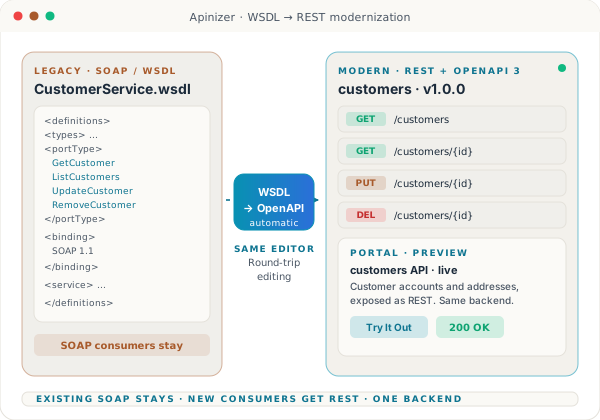
WSDL document on the left, a conversion arrow with a WSDL to OpenAPI label in the middle, and a REST endpoint surface on the right — with a small Portal preview card showing the converted API ready for consumers.

06 · Documentation, instantly

Every spec ships its own documentation — in every format your team needs.

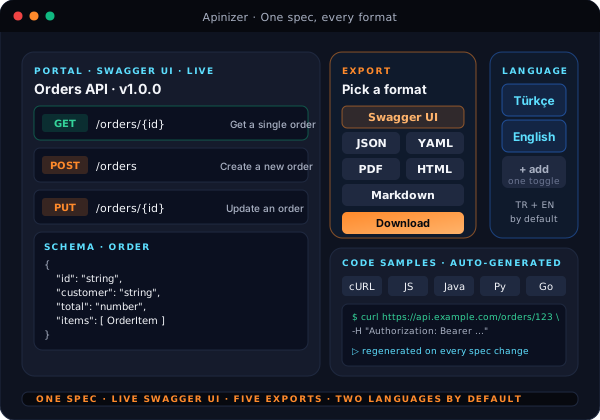
Documentation isn't a separate project anymore. The same spec drives a Swagger UI render inside the Portal, exports to JSON or YAML for tool compatibility, and packages into PDF, HTML, or Markdown when the legal or partner team asks. Turkish and English ship by default, and a third language is one toggle away.

  • Swagger UI rendered live inside the API Portal
  • Export the raw spec as JSON or YAML for any external tooling
  • Export as PDF or HTML for partners, auditors, or procurement
  • Export as Markdown for your internal wiki or developer hub
  • Turkish and English documentation generated from the same spec
  • Add a third language with one toggle — no extra authoring
  • Code samples for cURL and popular languages, generated automatically
  • Documentation updates the moment the spec is re-applied — never stale
  • Swagger UI
  • JSON · YAML
  • PDF · HTML · Markdown
  • Turkish + English
  • Code samples
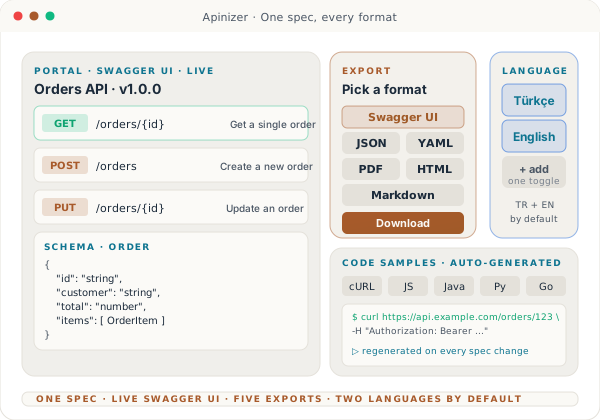
Portal documentation page on the left with a Swagger UI render of an endpoint, a stack of export chips labeled JSON, YAML, PDF, HTML, Markdown in the middle, and a language toggle showing Turkish and English on the right.

07 · Spec-as-code

Treat your API contract like the rest of your codebase.

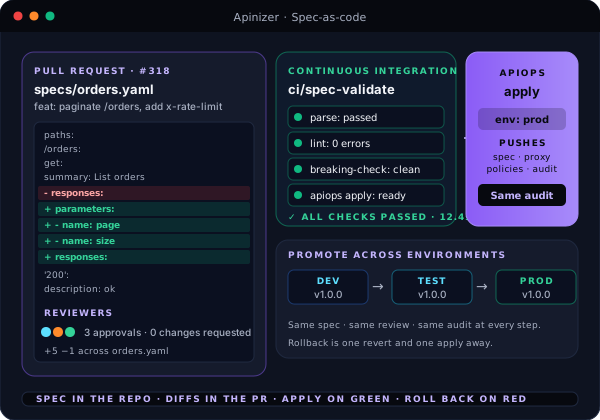
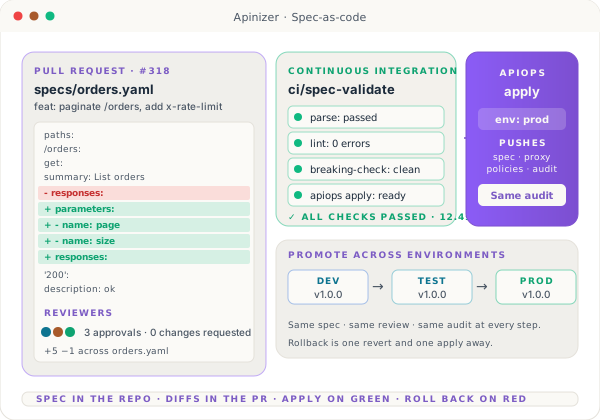
OpenAPI is plain YAML or JSON — and the Designer is designed to play well with the source-control workflow your team already runs. Diff the spec in your repo, validate in CI, ship through APIops. Pull-request reviews on API contracts work the same way reviews on code do.

  • Spec stored as plain YAML or JSON — diff-friendly out of the box
  • Validate specs in CI — reject broken contracts before they merge
  • APIops apply pushes the spec — same auth, same audit as the UI
  • Promote a reviewed spec from dev to production through your pipeline
  • Pull-request reviews on API contracts, not just on glue code
  • Versioning lives in your repo — no parallel version registry
  • Templates and shared schemas reusable across multiple specs
  • Branch protections on API contracts — no surprise breaking changes
  • YAML · JSON
  • Diff-friendly
  • Validate in CI
  • APIops apply
  • Promote through pipeline
Git diff view on the left with added and removed lines on an OpenAPI spec, a CI status panel in the middle showing a passing validation step, and an APIops apply card on the right pushing the spec to a target environment.

08 · Catalog the moment proxy is live

From the editor to a working Try-It console in seconds.

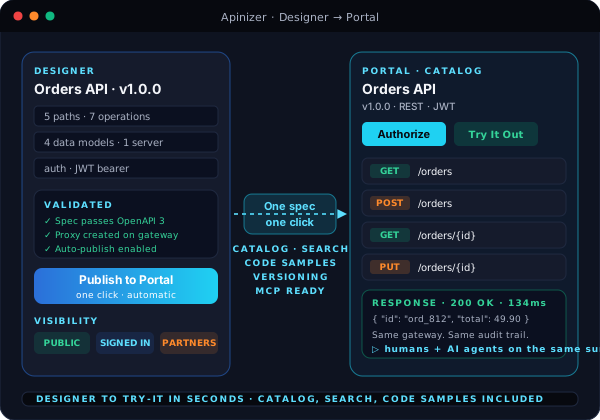
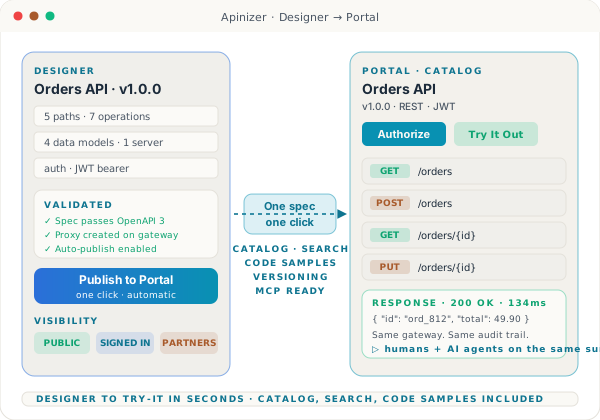
When the proxy goes live, the spec it came from already powers the Portal catalog page. Consumers find the new API in search, open the documentation, and run a Try-It call with the right authentication flow already wired up — without anyone publishing anything by hand. Humans and AI agents discover the new API on the same surface.

  • Auto-publish to the API Portal the moment the proxy goes live
  • Catalog entry, search indexing, and category placement handled for you
  • Try-It console wired to the right authentication flow automatically
  • Versioning, deprecation badges, and changelogs surfaced to consumers
  • Same surface for human developers and AI agents over MCP
  • Pick visibility per audience — open, signed-in only, or approved partners
  • Code samples regenerated from the latest spec
  • Subscription and credential flow inherited from the Portal — nothing to wire
  • Auto-publish
  • Try-It console
  • Auth-aware
  • Versioning
  • Same surface for AI agents

Same lane for AI

The Portal catalog this spec lands in is the same catalog AI agents browse over MCP — one design pass, two audiences.

Designer card on the left, an arrow labeled One spec, one click in the middle, and a Portal catalog card on the right showing the API title, version, an Authorize button, an endpoint list, and a green Try It Out badge.

In the box

What's included

The capabilities below are part of the standard install — no add-on SKUs and no separate licenses.

Authoring

  • Side-by-side design view and code view
  • OpenAPI 3.0.x and Swagger 2.x
  • YAML and JSON formats with inline validation
  • Reusable data models with properties and examples
  • Multi-server definitions for dev, test, and production
  • Spec-level authentication and security setup
  • Filter long specs by path or data model
  • Blank-API and Import-from-URL or file start options

Output and integration

  • One-click API Proxy generation on the same gateway
  • Spec-to-proxy round trip with policy preservation
  • WSDL import with SOAP-as-REST exposure
  • Auto-publish to the API Portal with Try-It console
  • Swagger UI render, JSON, YAML, PDF, HTML, Markdown export
  • Turkish and English documentation by default
  • Code samples for cURL and popular languages
  • APIops apply with spec-as-code workflows

Design-to-runtime

Design once. Ship the API, not the YAML.

See the Designer turn an OpenAPI spec into a live, governed proxy — with Portal docs, Try-It, and Swagger UI ready the moment it goes up.