API Portal

Open the front door for developers, partners, and AI agents.

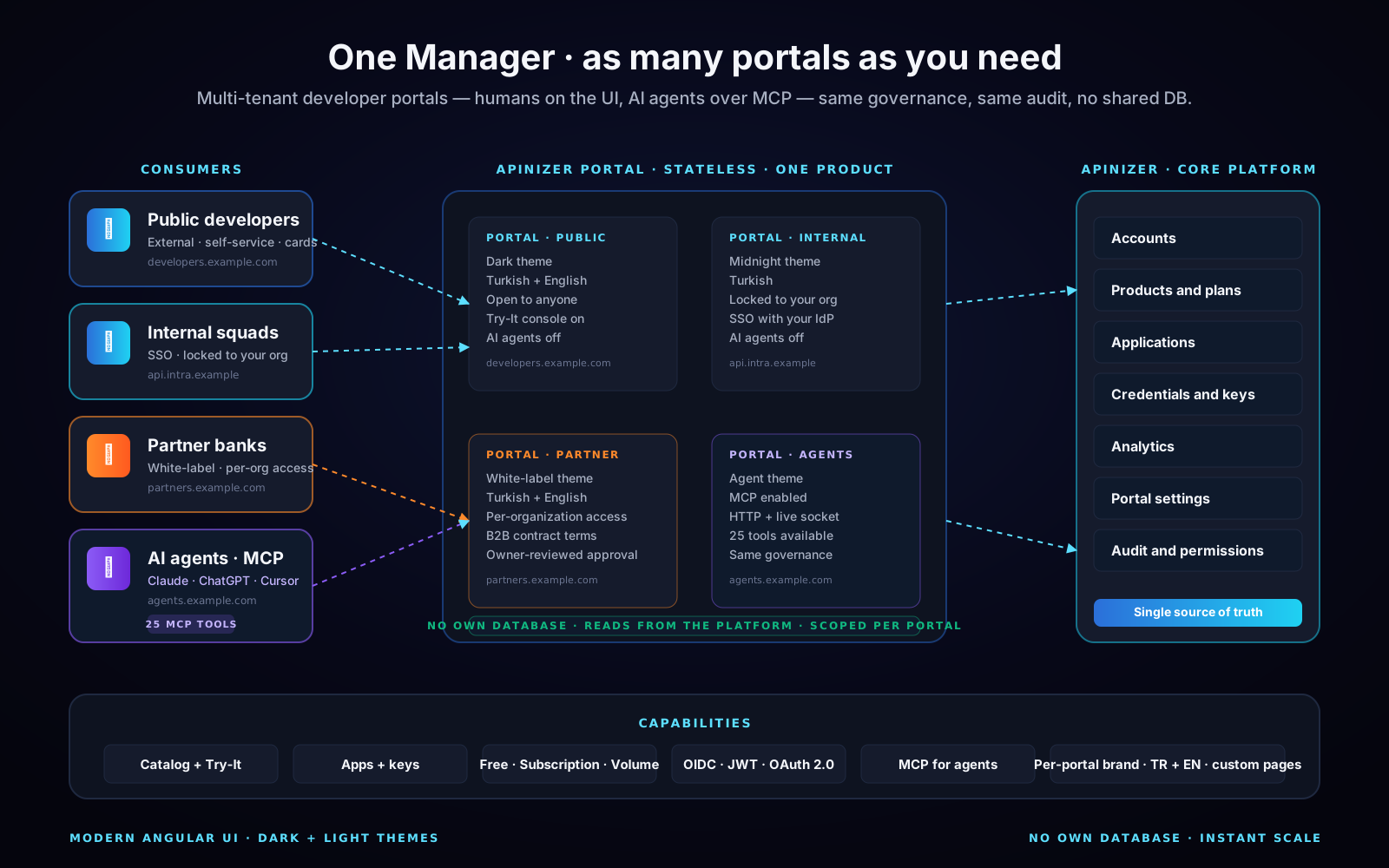
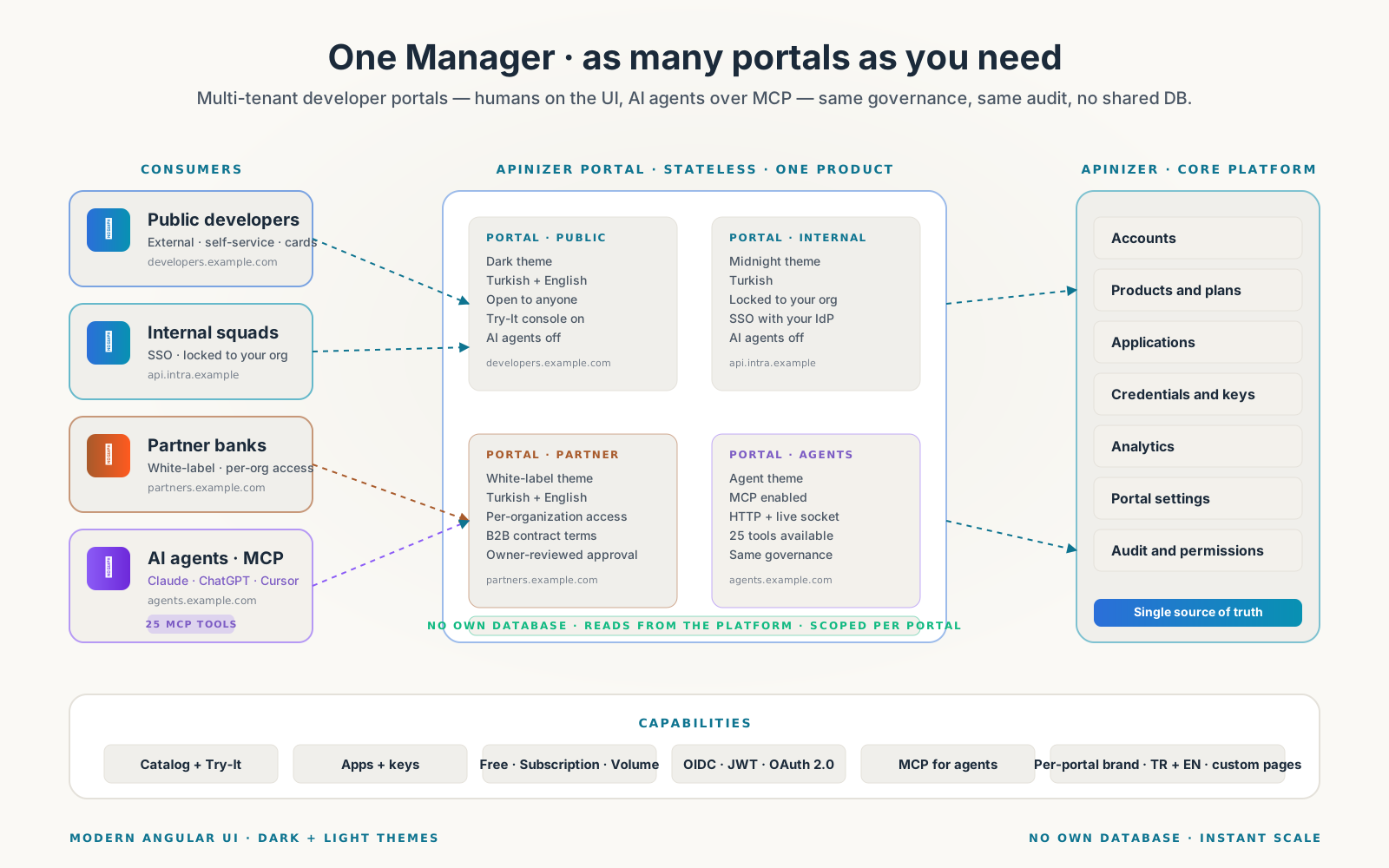
Stand up as many portals as you need — Public, Internal, Partner, and Agents — each branded as your own. The Portal is multi-tenant, fully customizable, and so lightweight it carries no database of its own. Humans discover APIs on the UI, AI agents discover them over MCP — under the same governance.

  • TenancyPublic · Internal · Partner · Agent
  • FootprintNo own database · stateless
  • ConsumersHumans + AI agents over MCP

Capabilities · deep dive

Eight properties that make a portal multi-tenant and lightweight.

Stand up as many portals as you need — Public, Internal, Partner, Agents — each fully customizable. The Portal stores nothing of its own; every read flows through the Apinizer platform. Humans and AI agents share the same governance, the same audit, and the same identity surface.

01 · Multiple portals

Stand up as many portals as you need — Public, Internal, Partner, Agents.

The Apinizer Portal is multi-tenant by design. Spin up one for the public, one locked to your internal squads, one for licensed partners, one for AI agents — each on its own URL, with its own brand, navigation, languages, and visibility. No extra deployments, no parallel user base, no duplicated APIs.

  • Run as many portals as you want from one Apinizer instance
  • Per-portal URL and domain — give every audience a front door of their own
  • Open to anyone, or locked to your organization — your choice per portal
  • Independent brand, theme, languages, navigation, and legal terms per portal
  • Independent transactional email — partner mail never shares a sender
  • Switch between portals in one Manager — operators stay in a single console
  • Shared catalog of APIs and consumers — never duplicated, always governed
  • Same identity, same audit, same governance everywhere
  • Public
  • Internal
  • Partner
  • AI agents
  • Multi-tenant
  • Branded per audience

Same lane for AI

Give AI agents their own portal — different brand, different visibility — without standing up a parallel system.
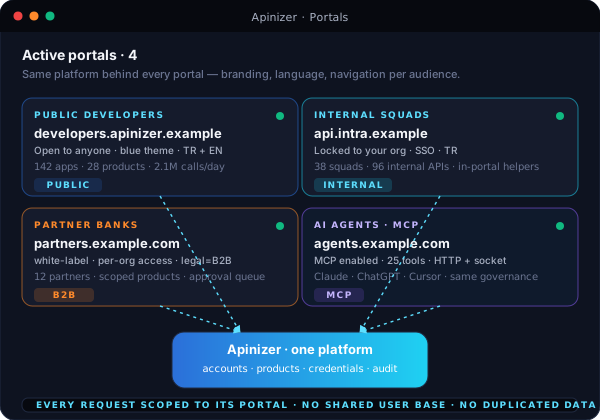
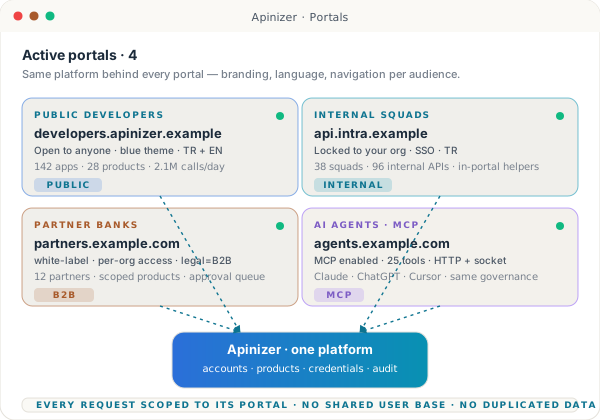
Four portal cards — Public Developers, Internal Squads, Partner Banks, AI Agents — each with a distinct theme, URL, and visibility chip, all routed to the same Apinizer core.

02 · Lightweight by design

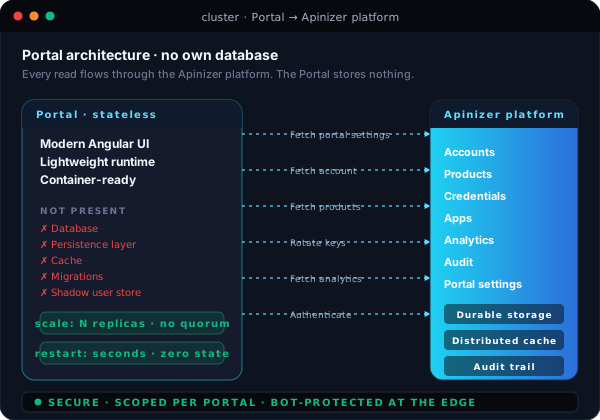
No own database. Reads from the platform — that's the whole story.

The Portal stores nothing of its own. Every read — accounts, products, applications, credentials, traffic — comes from Apinizer's core platform. That's why a Portal container starts in seconds, scales horizontally without coordination, and survives a crash with zero state loss.

  • Zero persistence layer — no database, no cache, no migrations to run
  • All data lives in the platform — never duplicated, never out of sync
  • Spin up extra replicas instantly — no leader election, no quorum
  • Restart in seconds — no warm-up, no schema check, no data migration
  • Bot protection at the edge keeps abusive traffic away from the platform
  • Each request is automatically scoped to the active portal
  • Disaster recovery is trivial — there's nothing on the Portal worth backing up
  • A few megabytes of memory per instance — friendly to small clusters
  • No own database
  • Stateless
  • Instant scale
  • Fast restart
  • Tiny footprint
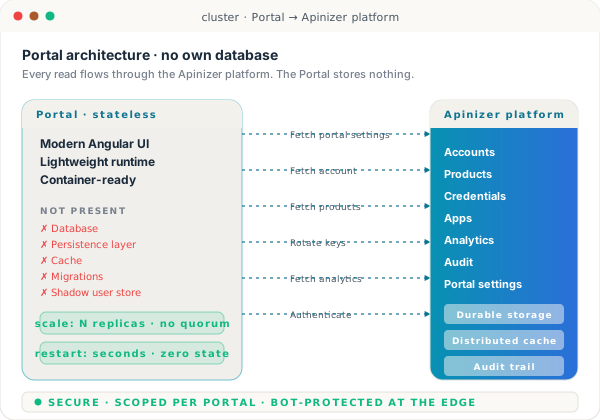
Stateless Portal container on the left calling the Apinizer platform on the right, with arrows showing settings, accounts, products, credentials, and analytics — all fetched, none stored locally.

03 · Make it yours

Customize every pixel — without forking the codebase.

Make the Portal look like your platform, not Apinizer's. Logos, palette, fonts, navigation, custom HTML pages, custom home, custom login copy — every surface is configurable from the Manager. Two languages ship by default, and you can flip in another whenever you need to.

  • Upload your logo, favicon, and background image — light or dark
  • Set your brand palette — primary, top bar, menu, and accent colors
  • Pick your typography — heading font and body font are first-class fields
  • Build the navigation you want — add menu items, sub-menus, and external links
  • Author custom HTML pages — pricing, SLA, terms, partner guides — inside the Portal
  • Turkish and English ship by default; turn on a secondary language with one toggle
  • Custom legal text and downloadable terms file — region-specific without a fork
  • Feature toggles for analytics, support tickets, in-portal helpers, AI agents
  • Brand palette
  • Custom typography
  • Custom pages
  • Custom navigation
  • Turkish + English
  • Built on Angular
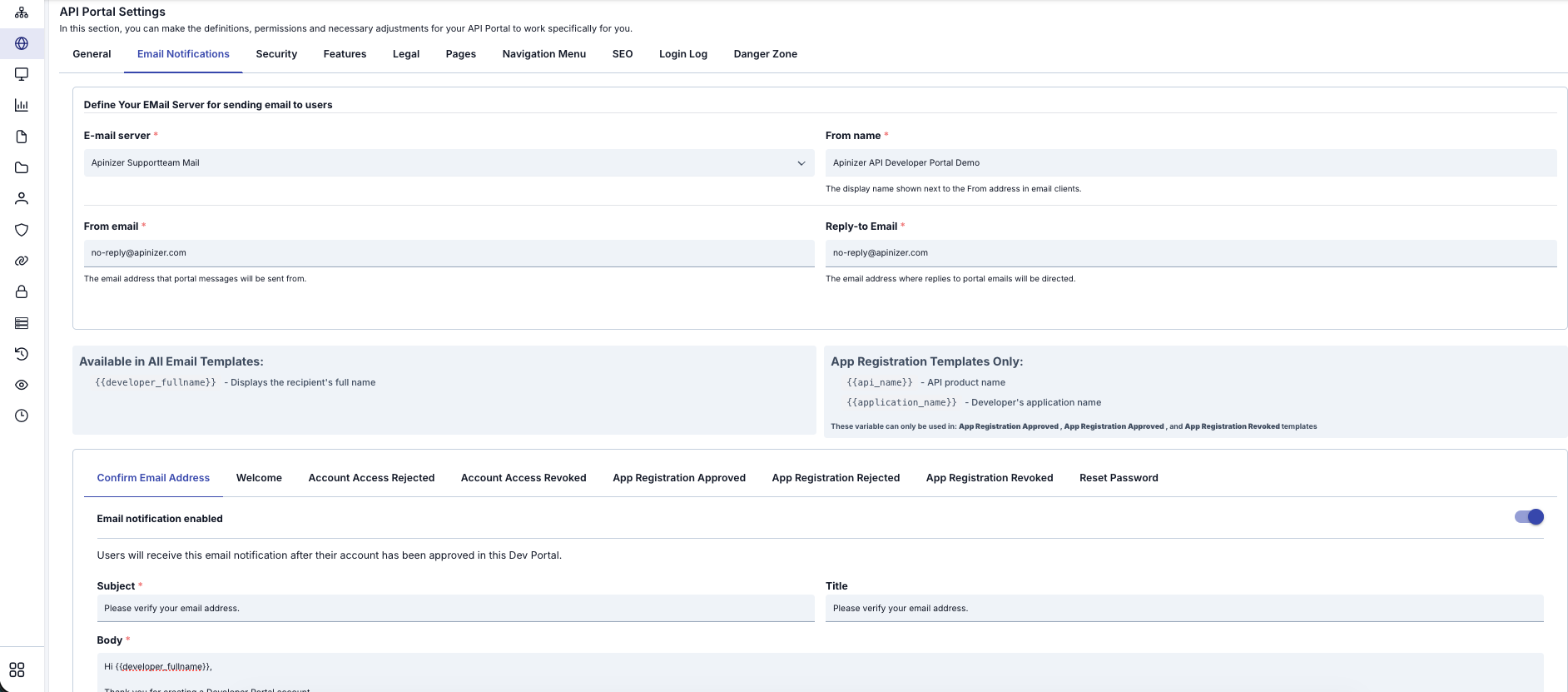
Apinizer Manager — API Portal Settings screen with tabs for General, Email Notifications, Security, Features, Legal, Pages, Navigation Menu, SEO, Login Log, and Danger Zone — showing the Email Notifications tab where the email server, sender name, reply-to address, and registration templates are configured.

04 · Discovery + Try-It

A catalog your consumers can actually use.

Browse, search, filter by category — then open an API and try it directly in the browser, with the right authentication already wired up. Specs come straight from the live runtime, so the catalog never lies about what production will accept.

  • Searchable catalog with category filters and tag-based discovery
  • OpenAPI and WSDL specs rendered in-portal — endpoints, schemas, examples
  • Try-It console picks the right auth flow automatically — JWT, OAuth 2.0, mTLS, Basic
  • In-portal helpers — JWT decoder, JSONPath, XPath, JSON-XML transform, Base64
  • Version comparison and deprecation badges keep consumers on the right path
  • Three visibility levels — open to anyone, signed-in only, or approved partners
  • Code snippets in cURL and popular languages, generated from the spec
  • Sandbox calls flow through the same gateway as production traffic
  • OpenAPI 3
  • WSDL
  • Try-It console
  • Versioning
  • Auth-aware
  • In-portal helpers
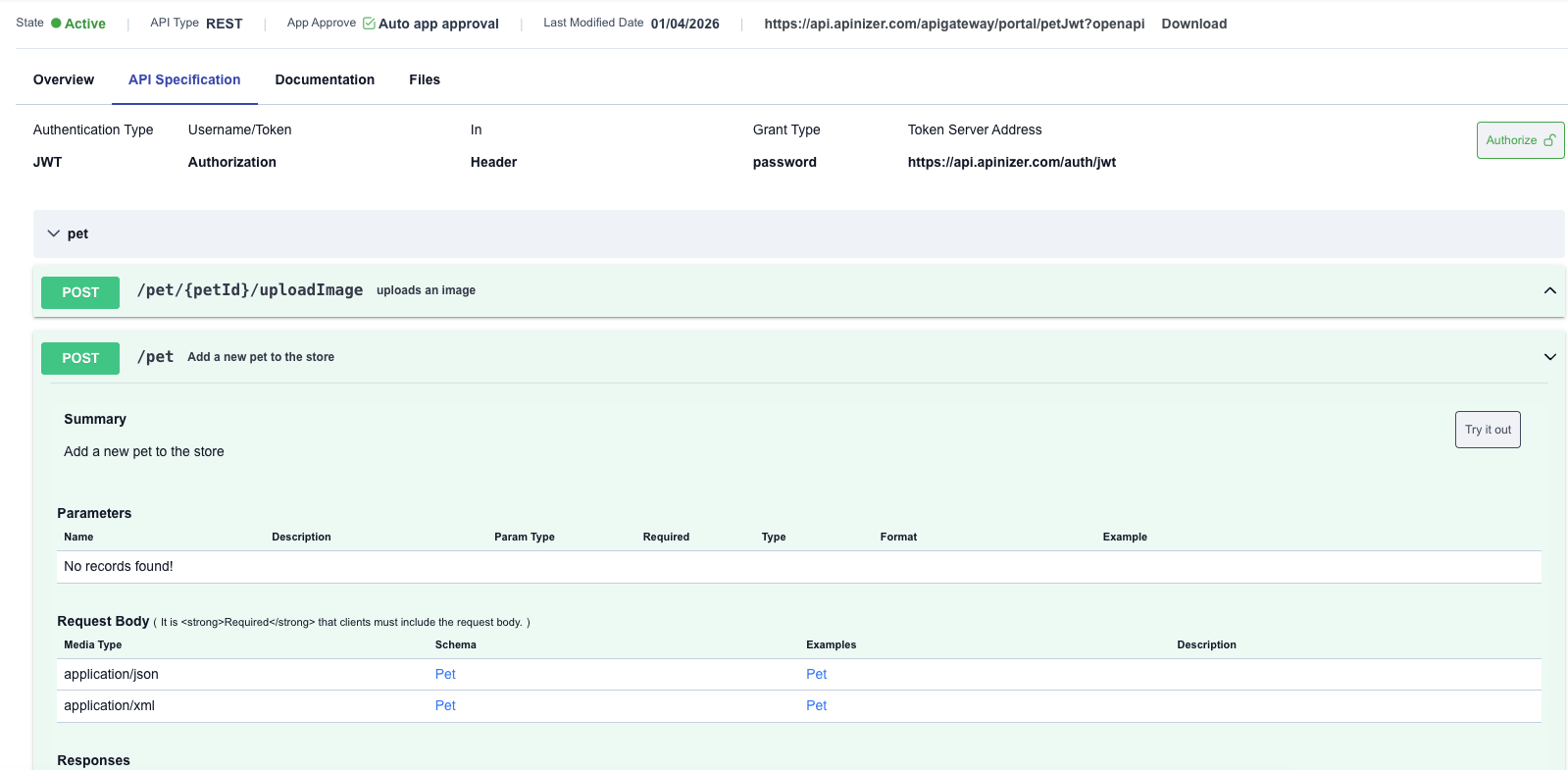
Apinizer API Portal — API Specification tab for the Pet API showing state Active, REST type, JWT authentication, Authorize button, a collapsible /pet endpoint list, request body schema with Pet examples, and a Try-It-Out action — exactly what a developer or AI agent sees when exploring an API.

05 · Self-service apps + keys

Apps and keys — without filing a ticket.

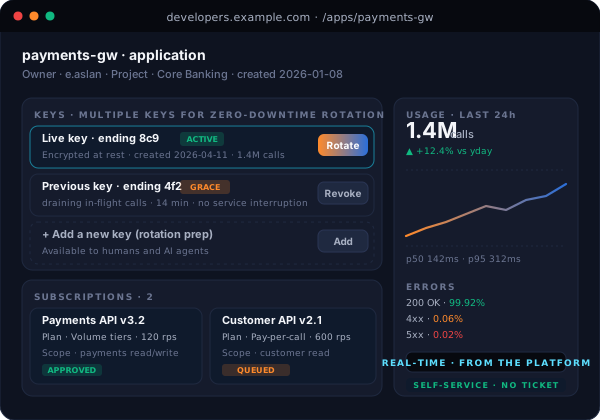
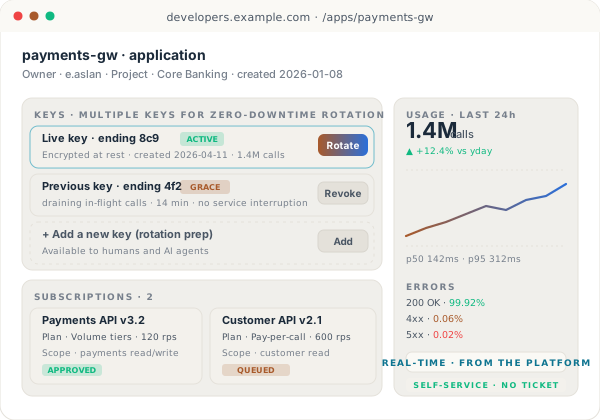
A consumer creates an application, picks which APIs it should call, and the platform issues the credentials. Rotate, revoke, or add a second key from the Portal UI; the gateway picks it up live, with no service interruption for in-flight calls.

  • One-step application registration with auto-issued credentials
  • Multiple keys per app for zero-downtime rotation
  • Per-key access controls — which APIs, which endpoints, which methods
  • Per-key rate limits, IP allow-lists, geo restrictions, and time-of-day windows
  • All secrets encrypted at rest — never visible in the database in plain text
  • Rotate, revoke, or regenerate from the Portal — operator only steps in if policy says so
  • Per-application usage and error analytics in real time
  • Subscription approval — auto-approve, or queue for the API owner
  • Self-service
  • Multiple keys per app
  • Zero-downtime rotation
  • Access controls
  • Encrypted at rest
  • Per-app analytics
Application detail page — app name, owner, two issued keys with rotation actions, a subscriptions panel showing two API products, and a usage chart on the right.

06 · Pricing plans

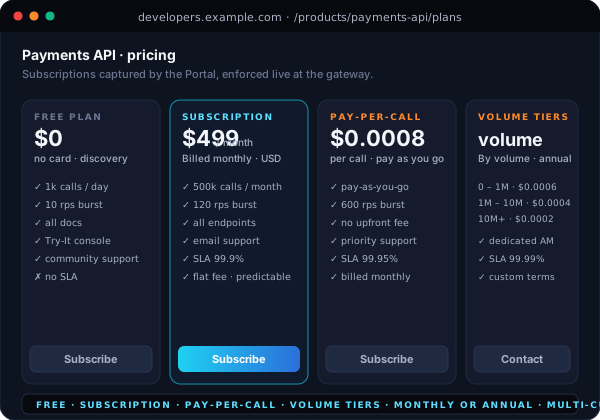
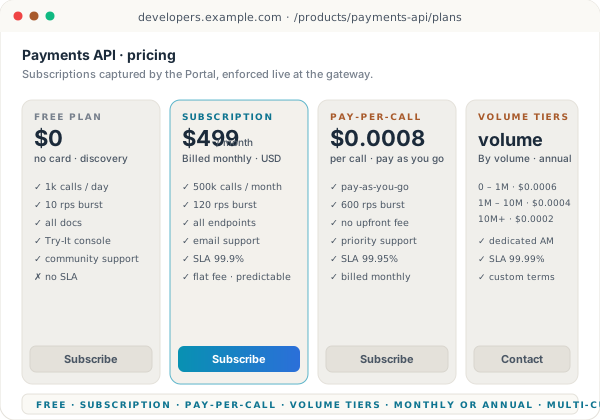
Package APIs into products — Free, Subscription, Pay-per-call, or Volume.

Group one or more APIs into a Product, attach a plan, publish it. The Portal handles the catalog entry, the pricing table, the subscription request, and the per-plan rate enforcement at the gateway. Currency, billing period, and quota are first-class fields, not custom integrations.

  • Four monetization models — Free, Subscription, Pay-per-call, Volume tiers
  • Volume- or transaction-based billing, with monthly or annual periods
  • Tiered plans with per-tier rate limits, included quota, and overage pricing
  • Multi-currency support out of the box
  • Three product-level visibility tiers — open, signed-in only, or approved partners
  • Friction-free auto-approve, or queue for an API owner to review
  • Per-organization access for B2B partner contracts
  • Live quota and overage status visible to every consumer
  • Free
  • Subscription
  • Pay-per-call
  • Volume tiers
  • Monthly + annual
  • Multi-currency
Pricing card row with four plan tiles — Free, Subscription, Pay-per-call, Volume tiers — each showing rate limits, included quota, and a Subscribe button.

07 · Built for AI agents

The same Portal — but the consumer is an AI agent.

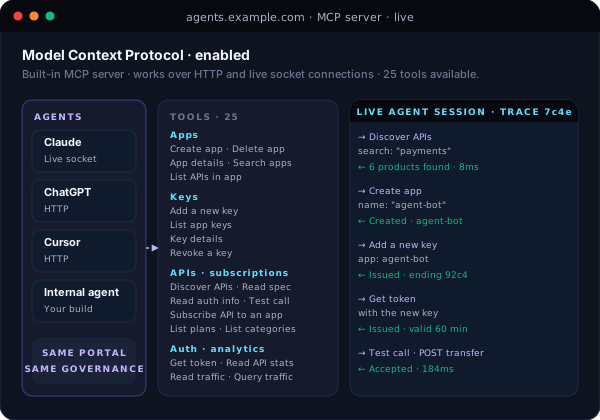
Turn on MCP and the Portal becomes a first-class server for the Model Context Protocol — the open standard that Claude, ChatGPT, and Cursor speak. Agents discover APIs, register applications, mint tokens, and run test calls under the same authentication, access controls, and audit trail as a human developer.

  • Native MCP server built into the Portal — no extra component to deploy
  • Works over both standard HTTP and live socket connections
  • Agents can discover APIs, browse plans, and read specs without human help
  • Agents can create their own apps, mint credentials, and rotate keys
  • Agents can run test calls inside the Portal, with full response capture
  • Same governance applies — visibility, access controls, rate limits, audit
  • Use Claude, ChatGPT, Cursor, or your own internal agent — same surface
  • Every agent call is logged with the same fidelity as a human one
  • MCP-ready
  • Claude · ChatGPT · Cursor
  • Same governance as humans
  • Discover · register · test
  • Full audit

Same lane for AI

Same Portal, two consumers — humans on the UI, agents on the protocol. The credential surface, access controls, and audit are identical.

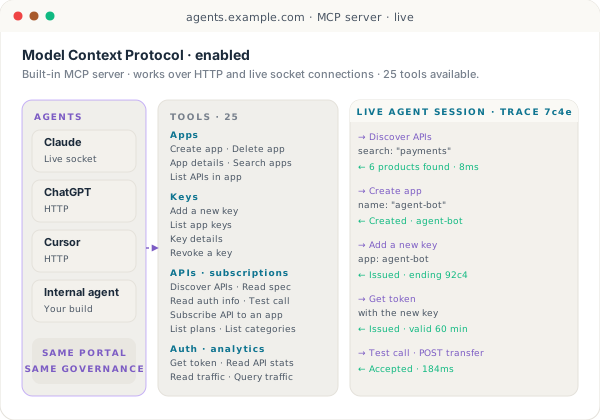
MCP console — an agent discovers APIs, creates an app, adds a key, gets a token, and runs a test call — each step returning a clean response card.

08 · In production today

Live in regulated environments — banking and capital markets.

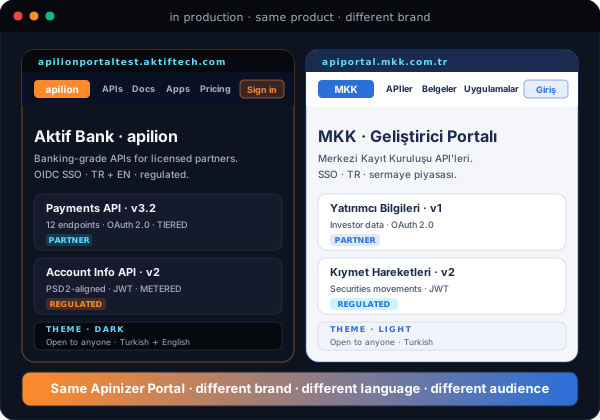
Apinizer Portals are the public developer surface for some of Türkiye's most regulated institutions — fully white-labeled, branded as the customer's own platform, with their domain, theme, languages, and legal framing.

  • Aktif Bank — apilionportaltest.aktiftech.com — white-labeled developer portal
  • MKK (Merkezi Kayıt Kuruluşu) — apiportal.mkk.com.tr — central securities depository
  • Both run on the same Apinizer Portal — only the customization differs
  • Each customer brings their own domain, certificate, brand, and legal terms
  • Multi-language, SSO with the customer's identity provider, custom navigation
  • Same platform behind it serves human consumers, partners, and AI agents
  • Production stability is borrowed from the platform — Portal restarts are free
  • Aktif Bank
  • MKK
  • White-label
  • Regulated industries
  • Multi-language
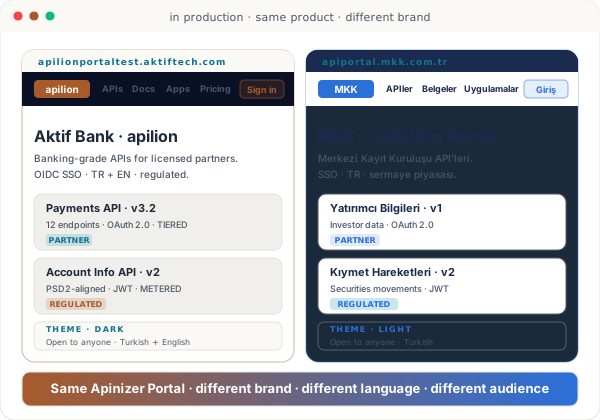
Two customer portal previews side by side — Aktif Bank's apilion portal on the left, MKK's portal on the right — both built on the same Apinizer Portal.

In the box

What's included

The capabilities below are part of the standard install — no add-on SKUs and no separate licenses.

Consumer surface

  • Multiple portals — Public, Internal, Partner, Agent
  • Per-portal URL, theme, languages, navigation, legal framing
  • Searchable catalog with categories and version metadata
  • Try-It console with in-portal helpers
  • Self-service credentials with rotation and access controls
  • Subscription flow — auto-approve or queue for review
  • Turkish and English out of the box
  • AI agent access via MCP

Engineering and ops

  • Modern UI built on Angular
  • No own database — reads from the platform
  • Each request is automatically scoped to its portal
  • Bot protection at the edge
  • Scale horizontally without coordination
  • Restart in seconds with zero state loss
  • Auto OpenAPI and Swagger documentation
  • Lightweight footprint — friendly to small clusters

Open the front door

One platform, as many portals as you need.

Walk through the Portal — multi-tenant setup, theming, subscriptions, credentials, and MCP for AI agents on a Kubernetes of your choice.